In this tutorial, you provision an AWS EC2 instance with CDK Terrain (CDKTN) using Terraform (or OpenTofu). You will also store state in HCP Terraform and output the instance public IP. If you have not installed CDKTN yet, follow the install tutorial first.

Prerequisites

  • Terraform CLI v1.2+ (or OpenTofu)
  • CDKTN CLI v0.15+
  • HCP Terraform account with CLI authentication configured
  • AWS account
  • AWS credentials configured for Terraform (environment variables or another supported credential method)
  • A recent version of your preferred language runtime (TypeScript, Python, Go, C#, or Java)
CDKTN works with both Terraform and OpenTofu. To run OpenTofu, set TERRAFORM_BINARY_NAME=tofu before using the CLI. Refer to Environment Variables for details.

Initialize a new CDK Terrain application

Create a new project directory and move into it.
Shell
mkdir learn-cdktn
cd learn-cdktn
Initialize the project using the AWS provider. When prompted, select your HCP Terraform organization and accept the default workspace name (learn-cdktn).
cdktn init --template="typescript" --providers="aws@~>4.0"
Detected Terraform Cloud token.
? Terraform Cloud Organization Name <YOUR_ORG>
? Terraform Cloud Workspace Name learn-cdktn
...
Your cdktn typescript project is ready!
If you prefer to store state locally, re-run cdktn init with --local and skip configuring a remote backend in the next section.

Define your CDK Terrain application

Replace the generated application code with the following for your language. The stack configures the AWS provider, creates an EC2 instance in us-west-1, and defines a public_ip output. Replace <YOUR_ORG> with your HCP Terraform organization name. If you used a different workspace name, replace learn-cdktn with that name.
import { Construct } from "constructs";
import { App, TerraformOutput, TerraformStack, RemoteBackend } from "cdktn";
import { AwsProvider } from "@cdktn/provider-aws/lib/provider";
import { Instance } from "@cdktn/provider-aws/lib/instance";

class MyStack extends TerraformStack {
  constructor(scope: Construct, id: string) {
    super(scope, id);

    new AwsProvider(this, "AWS", {
      region: "us-west-1",
    });

    const ec2Instance = new Instance(this, "compute", {
      ami: "ami-01456a894f71116f2",
      instanceType: "t2.micro",
    });

    new TerraformOutput(this, "public_ip", {
      value: ec2Instance.publicIp,
    });
  }
}

const app = new App();
const stack = new MyStack(app, "aws_instance");

new RemoteBackend(stack, {
  hostname: "app.terraform.io",
  organization: "<YOUR_ORG>",
  workspaces: {
    name: "learn-cdktn",
  },
});

app.synth();

Provision infrastructure

Deploy the stack. CDKTN synthesizes Terraform configuration, runs a plan, and prompts you to approve the changes.
Shell
cdktn deploy
Deploying Stack: aws_instance
Resources
\u2714 AWS_INSTANCE compute aws_instance.compute
Summary: 1 created, 0 updated, 0 destroyed.

Output:
public_ip = 50.18.17.102
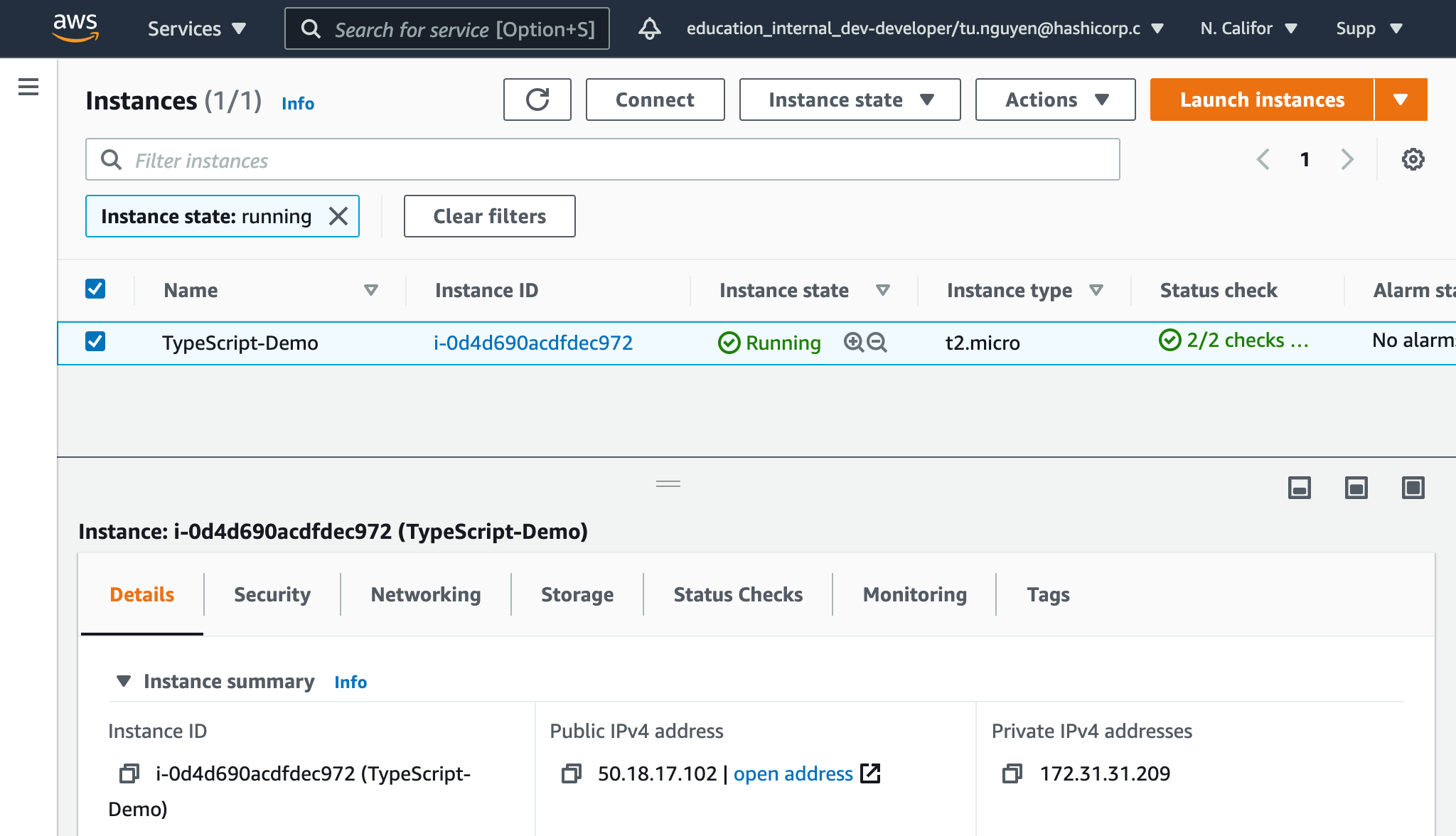
When the deploy finishes, you can find the instance in the AWS Console. AWS Console showing the provisioned instance

Change infrastructure by adding the Name tag

Update the EC2 instance resource to add a Name tag, then deploy again.
const ec2Instance = new Instance(this, "compute", {
  ami: "ami-01456a894f71116f2",
  instanceType: "t2.micro",
  tags: {
    Name: "CDKTF-Demo",
  },
});
Shell
cdktn deploy

Clean up your infrastructure

Destroy the stack to remove the EC2 instance.
Shell
cdktn destroy

Next steps